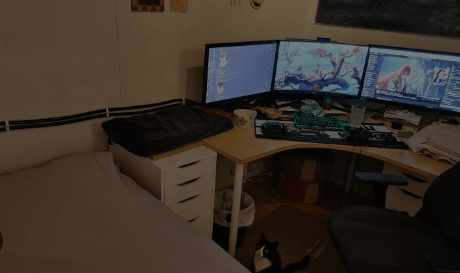
You’ve invested in a powerful graphics card, upgraded your processor, and finally built the gaming setup you’ve always wanted. Everything runs beautifully, but one problem might have been overlooked. After a couple of hours of gaming, your room feels noticeably warmer than the rest of the house.
High-performance gaming equipment generates considerable heat, and the more powerful your setup, the more important temperature management becomes. While gamers often focus on keeping their components cool, the room temperature deserves just as much attention.
Your Gaming PC Is Essentially a Small Heater
Gaming PCs consume electricity to power their components, and much of that energy eventually becomes heat. A demanding game on high settings can push both the processor and graphics card harder, increasing power consumption.
Modern graphics cards alone can consume several hundred watts under heavy workloads. Add a powerful CPU, multiple monitors, and other equipment, and the combined heat output becomes noticeable.
This is particularly problematic in smaller gaming rooms with limited ventilation. Even an expensive liquid-cooling system won’t eliminate the heat being produced. It simply transfers that heat from the components to the surrounding environment.
Why Room Temperature Affects Gaming Performance
Most gamers understand the importance of CPU and GPU temperatures, but fewer consider how ambient room temperature influences cooling performance.
PC cooling systems depend on the temperature difference between their components and the surrounding air. As that air warms, removing heat becomes harder.
If internal temperatures rise too high, certain components may reduce their operating speeds to protect themselves, a process known as thermal throttling.
For competitive gamers, this could mean inconsistent performance during demanding sessions. Keeping the surrounding environment comfortable gives cooling equipment a better chance to operate effectively.
The Challenge of Gaming in Hotter Climates
Gamers living in places like Tucson, Arizona, face additional challenges during the summer. As outdoor temperatures rise, a room with several heat-generating devices can become uncomfortable surprisingly quickly.
Proper ventilation and effective air conditioning can make a substantial difference. Homeowners considering heating and cooling Tucson services may benefit from an HVAC assessment, especially if a dedicated gaming room consistently feels warmer than neighboring spaces.
Sometimes the problem isn’t the gaming equipment alone. Poor airflow, inadequate insulation, or insufficient cooling in a particular room can create uncomfortable conditions.
Small Changes That Can Make a Difference
Fortunately, you don’t always need expensive upgrades to improve gaming-room temperatures. A few practical adjustments can help:
- Improve airflow: Keep PC ventilation openings clear and avoid placing towers inside enclosed cabinets.
- Manage sunlight: Close blinds or curtains during the hottest parts of the day.
- Monitor temperatures: Use hardware monitoring software to identify unusually high component temperatures.
- Reduce unnecessary power consumption: Frame-rate limits and sensible graphics settings can reduce heat generation.
- Consider room ventilation: Make sure furniture isn’t obstructing air conditioning vents or return airflow.
These adjustments can improve comfort without compromising the overall gaming experience.
Build a Setup That Works Beyond the Screen
A great gaming setup isn’t just about impressive specifications, RGB lighting, or the latest hardware. The surrounding environment plays an important role in maintaining consistent performance and making long sessions enjoyable.
By focusing on airflow, component temperatures, and room cooling, gamers can create spaces that stay comfortable even when their equipment is working hard. After all, the only thing that should be heating up during an intense gaming session is the competition.